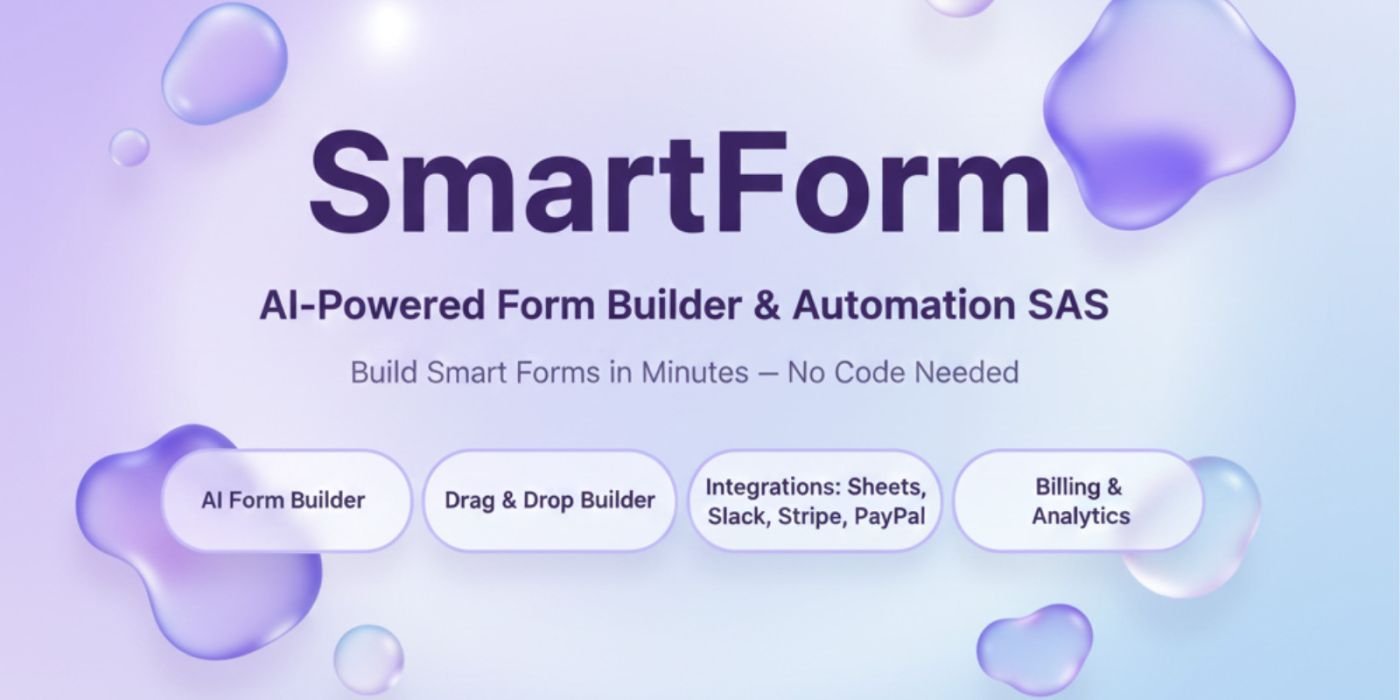
SmartForm - AI Powered Form Builder
Create, customize, and publish professional forms instantly with AI! SmartForm lets users build forms using AI prompts or manually
Overview
Description
Overview
SmartForm is a next-gen AI-powered Form Builder SaaS built with Next.js 14 and Supabase.
It empowers creators to generate forms automatically using AI prompts, or build them manually with an intuitive drag-and-drop interface — no coding required.
Seamlessly integrate with Google Sheets, Slack, Stripe, PayPal, and reCAPTCHA, manage analytics, and handle billing — all inside one dashboard.
🔐 Test Login Credentials
Email: test@example.com
Password: password
🟣 V2 Update – Released on 19 October 2025
✨ Major design & performance upgrade
Revamped Landing Page UI with premium animations
New Hero Section and Illustrations (SVGs)
Improved Pricing Table with gradient effects
Optimized Testimonial & Footer sections
Added new login page design with modern layout
Fixed auto-login/logout session bug
Enhanced mobile responsiveness
🔵 V1 Release – 11 October 2025
🚀 Initial product launch
Full AI Form Builder SaaS system
Integrated Stripe & PayPal billing
Added Supabase authentication
Included Edge function for monthly usage reset
Features
⚙️ Core Features
🧠 AI Form Builder – Generate forms instantly from text prompts.
🛠️ Manual Form Builder – Drag & drop fields with live preview.
📈 Analytics Dashboard – Track performance and user responses.
💳 Billing & Invoices – Built-in payment system with history.
🤖 Integrations – Google Sheets, Slack, Stripe, PayPal, reCAPTCHA.
🌎 Multi-language Ready – Fully responsive & translation-friendly.
Here All Form Element List
Basic Input Fields
Short Text – For short responses like Name, Title, or Username.
Paragraph (Long Text) – For longer answers or descriptions (e.g. feedback, messages).
Email – Automatically validates email addresses for accuracy.
Number – Accepts numeric input (e.g. Roll No, Age, Quantity).
Phone – Input field optimized for phone numbers with validation.
Choice & Selection Fields
Dropdown – Choose one option from a predefined list.
Radio Buttons – Select one option out of many (great for surveys).
Checkbox – Select multiple options at once.
Switch (Toggle) – Simple ON/OFF input for quick binary choices.
Date & Secure Fields
Date Picker – Clean date selection UI with calendar view.
Password – For creating secure password-type fields (hidden characters).
Captcha – Protects against spam & bot submissions.
Section Break (Sec Break) – Visually separates parts of a long form for better UX.
Special Elements
Rating – Collect feedback or satisfaction scores with star ratings.
File Upload – Allow users to upload files or documents safely.
Signature – Users can sign digitally using mouse or touch.
Website / URL – For collecting links or website addresses.
Address – Structured address input (Street, City, ZIP, etc.).
Payment – Accept payments or donations directly through form integrations.
Smart Features
✅ Required Field Option – Control which fields must be filled.
🔄 Conditional Logic System – Show/hide or trigger fields based on user answers (just like Typeform or YouForm).
💼 Subscription Plans (Built-in)
Plan AI Forms Manual Forms Notes
Free 5 5 Ideal for testing
Pro 20 Unlimited Best for individuals
Business 50 Unlimited For small teams
Enterprise Unlimited Unlimited For large organizations
Each plan includes usage tracking and progress bars inside the Billing page.
Requirements
🧩 Tech Stack
Frontend: Next.js 14, TypeScript, TailwindCSS
Backend: Supabase (Database + Auth + Edge Functions)
Instructions
⚙️ Installation Steps
1️⃣ Clone the Project
git clone your-smartform-folder
cd smartform
2️⃣ Install Dependencies
npm install
3️⃣ Setup Environment Variables
Create .env.local and fill with your credentials:
NEXT_PUBLIC_SUPABASE_URL=your-supabase-url
NEXT_PUBLIC_SUPABASE_ANON_KEY=your-anon-key
SUPABASE_SERVICE_ROLE_KEY=your-service-key
STRIPE_SECRET_KEY=your-stripe-secret-key
STRIPE_WEBHOOK_SECRET=your-webhook-secret
NEXT_PUBLIC_STRIPE_PUBLISHABLE_KEY=your-public-key
PAYPAL_CLIENT_ID=your-paypal-client-id
PAYPAL_SECRET_KEY=your-paypal-secret-key
NEXT_PUBLIC_SITE_URL=https://your-domain.com
4️⃣ Run Supabase Schema
Paste the SQL from schema.sql into your Supabase SQL editor to auto-create:
Users
Forms
Responses
Plans
Payments
Integrations
Settings
5️⃣ Setup Edge Function
supabase functions deploy usageReset
supabase cron schedule --project-ref your-project-ref --name usage-reset --schedule "0 0 1 * *" supabase functions invoke usageReset
6️⃣ Run the App
npm run dev
Visit → http://localhost:3000
7️⃣ Deploy (Optional)
✅ Vercel (Recommended)
Netlify
Supabase Hosting
Just connect your GitHub repo and add .env values in environment settings.
⚠️ Important Notes
Replace all demo API keys before deployment.
Supabase Edge Function setup is required for monthly usage reset.
Detailed README included with all setup steps.
💬 Support & Customization
Easily customizable with TailwindCSS and modular components.
All files are well-commented, developer-friendly, and ready for SaaS deployment.
SmartForm is a next-gen AI-powered Form Builder SaaS built with Next.js 14 and Supabase.
It empowers creators to generate forms automatically using AI prompts, or build them manually with an intuitive drag-and-drop interface — no coding required.
Seamlessly integrate with Google Sheets, Slack, Stripe, PayPal, and reCAPTCHA, manage analytics, and handle billing — all inside one dashboard.
🔐 Test Login Credentials
Email: test@example.com
Password: password
🟣 V2 Update – Released on 19 October 2025
✨ Major design & performance upgrade
Revamped Landing Page UI with premium animations
New Hero Section and Illustrations (SVGs)
Improved Pricing Table with gradient effects
Optimized Testimonial & Footer sections
Added new login page design with modern layout
Fixed auto-login/logout session bug
Enhanced mobile responsiveness
🔵 V1 Release – 11 October 2025
🚀 Initial product launch
Full AI Form Builder SaaS system
Integrated Stripe & PayPal billing
Added Supabase authentication
Included Edge function for monthly usage reset
Features
⚙️ Core Features
🧠 AI Form Builder – Generate forms instantly from text prompts.
🛠️ Manual Form Builder – Drag & drop fields with live preview.
📈 Analytics Dashboard – Track performance and user responses.
💳 Billing & Invoices – Built-in payment system with history.
🤖 Integrations – Google Sheets, Slack, Stripe, PayPal, reCAPTCHA.
🌎 Multi-language Ready – Fully responsive & translation-friendly.
Here All Form Element List
Basic Input Fields
Short Text – For short responses like Name, Title, or Username.
Paragraph (Long Text) – For longer answers or descriptions (e.g. feedback, messages).
Email – Automatically validates email addresses for accuracy.
Number – Accepts numeric input (e.g. Roll No, Age, Quantity).
Phone – Input field optimized for phone numbers with validation.
Choice & Selection Fields
Dropdown – Choose one option from a predefined list.
Radio Buttons – Select one option out of many (great for surveys).
Checkbox – Select multiple options at once.
Switch (Toggle) – Simple ON/OFF input for quick binary choices.
Date & Secure Fields
Date Picker – Clean date selection UI with calendar view.
Password – For creating secure password-type fields (hidden characters).
Captcha – Protects against spam & bot submissions.
Section Break (Sec Break) – Visually separates parts of a long form for better UX.
Special Elements
Rating – Collect feedback or satisfaction scores with star ratings.
File Upload – Allow users to upload files or documents safely.
Signature – Users can sign digitally using mouse or touch.
Website / URL – For collecting links or website addresses.
Address – Structured address input (Street, City, ZIP, etc.).
Payment – Accept payments or donations directly through form integrations.
Smart Features
✅ Required Field Option – Control which fields must be filled.
🔄 Conditional Logic System – Show/hide or trigger fields based on user answers (just like Typeform or YouForm).
💼 Subscription Plans (Built-in)
Plan AI Forms Manual Forms Notes
Free 5 5 Ideal for testing
Pro 20 Unlimited Best for individuals
Business 50 Unlimited For small teams
Enterprise Unlimited Unlimited For large organizations
Each plan includes usage tracking and progress bars inside the Billing page.
Requirements
🧩 Tech Stack
Frontend: Next.js 14, TypeScript, TailwindCSS
Backend: Supabase (Database + Auth + Edge Functions)
Instructions
⚙️ Installation Steps
1️⃣ Clone the Project
git clone your-smartform-folder
cd smartform
2️⃣ Install Dependencies
npm install
3️⃣ Setup Environment Variables
Create .env.local and fill with your credentials:
NEXT_PUBLIC_SUPABASE_URL=your-supabase-url
NEXT_PUBLIC_SUPABASE_ANON_KEY=your-anon-key
SUPABASE_SERVICE_ROLE_KEY=your-service-key
STRIPE_SECRET_KEY=your-stripe-secret-key
STRIPE_WEBHOOK_SECRET=your-webhook-secret
NEXT_PUBLIC_STRIPE_PUBLISHABLE_KEY=your-public-key
PAYPAL_CLIENT_ID=your-paypal-client-id
PAYPAL_SECRET_KEY=your-paypal-secret-key
NEXT_PUBLIC_SITE_URL=https://your-domain.com
4️⃣ Run Supabase Schema
Paste the SQL from schema.sql into your Supabase SQL editor to auto-create:
Users
Forms
Responses
Plans
Payments
Integrations
Settings
5️⃣ Setup Edge Function
supabase functions deploy usageReset
supabase cron schedule --project-ref your-project-ref --name usage-reset --schedule "0 0 1 * *" supabase functions invoke usageReset
6️⃣ Run the App
npm run dev
Visit → http://localhost:3000
7️⃣ Deploy (Optional)
✅ Vercel (Recommended)
Netlify
Supabase Hosting
Just connect your GitHub repo and add .env values in environment settings.
⚠️ Important Notes
Replace all demo API keys before deployment.
Supabase Edge Function setup is required for monthly usage reset.
Detailed README included with all setup steps.
💬 Support & Customization
Easily customizable with TailwindCSS and modular components.
All files are well-commented, developer-friendly, and ready for SaaS deployment.
Highlights
—
Quick requirements
—
Features
Feature list
No feature details provided.
Requirements
System / usage requirements
No requirements provided.
Installation
Installation & usage
No installation instructions provided.
Screenshots
Gallery