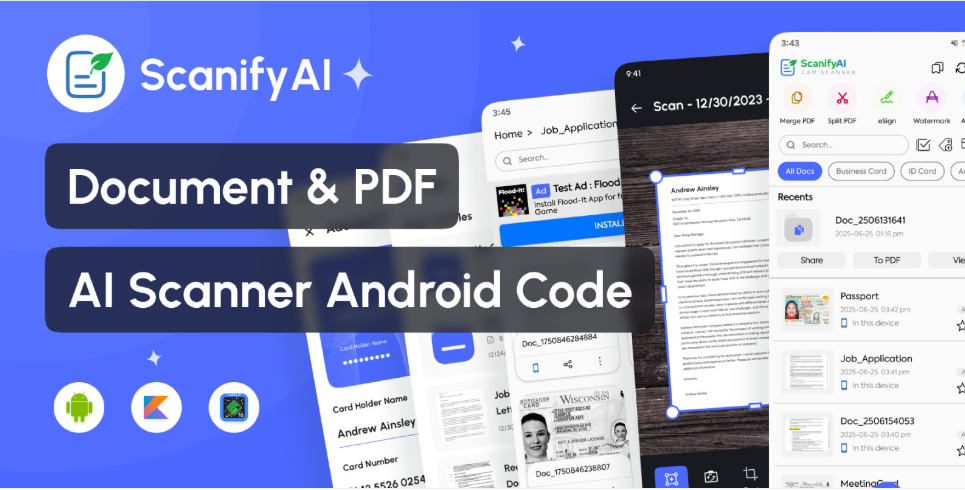
ScanifyAI – Document Scanner And OCR Android App
ScanifyAI is a smart document scanner with OCR. Scan, crop, extract text, and save as PDF. Fast, secure, and fully offline
Overview
Description
Key Features
Smart Camera Scanner – Scan documents, books, ID cards, receipts, and more
Auto Crop & Edge Detection – AI-enhanced cropping for accurate results
Enhance with Filters – Sharpen, brighten, or grayscale your scans
Save as PDF or Image – Multiple export format options
OCR Text Recognition – Extract text from images (multi-language support)
Multi-Page PDF – Combine multiple scans into one document
️ Built-in File Manager – Rename, delete, and organize scanned files
One-tap Sharing – Share via email, WhatsApp, Drive, etc.
Dark Mode – Beautiful modern UI with light/dark support
What You Get
✅ Full Android Studio Source Code (Kotlin & Java)
✅ Modular, clean, and well-commented code
✅ Material XML UI Design
✅ AdMob Integration (Banner, Interstitial, Native Ads)
✅ Full Documentation for Setup & Customization
⚙️ Tech Stack
Android Studio (SDK 35)
iText / PdfRenderer
Scoped Storage for Android 10+
Material Components UI
✅ Ideal Use Cases
Scanning receipts, notes, and certificates
Creating PDFs from paper documents
Digitizing books and study material
Scanning ID cards and official documents
Easy Reskin & Customization
This app is ready for branding and publishing. You can easily customize:
App Name & Logo
Theme Colors & Fonts
AdMob Integration
Default Language & Settings
Support
We provide dedicated support after purchase via email or through the CodeCanyon support panel. Let us help you get started quickly!
⭐ Why Choose ScanifyAI?
✅ AI-Powered CamScanner Alternative
✅ Fast Performance & Offline Support
✅ No Third-Party Backend Needed
✅ Monetization Ready (AdMob)
✅ Beautiful and Easy-to-Use Interface
Ready to publish. Just add your branding and launch your smart scanning app today!
Version 5.0
Update build.gradle
Improved overall project stability
Fixed for the 16 KB page size requirement (Android 15+)
Version 4.0
Remove deprecated dependency
Fixed compatible with 16 KB page issue
Version 3.0
Updated support for Android 16
Increase page scan limits
Version 2.0
Fixed major bugs and crashes
Updated support for Android 15
Enhanced UI/UX for smoother navigation
Version 1.0
First public release of the app
Document scanning with auto edge detection
PDF creation from scanned images
Filters for enhancing scanned documents
Smart Camera Scanner – Scan documents, books, ID cards, receipts, and more
Auto Crop & Edge Detection – AI-enhanced cropping for accurate results
Enhance with Filters – Sharpen, brighten, or grayscale your scans
Save as PDF or Image – Multiple export format options
OCR Text Recognition – Extract text from images (multi-language support)
Multi-Page PDF – Combine multiple scans into one document
️ Built-in File Manager – Rename, delete, and organize scanned files
One-tap Sharing – Share via email, WhatsApp, Drive, etc.
Dark Mode – Beautiful modern UI with light/dark support
What You Get
✅ Full Android Studio Source Code (Kotlin & Java)
✅ Modular, clean, and well-commented code
✅ Material XML UI Design
✅ AdMob Integration (Banner, Interstitial, Native Ads)
✅ Full Documentation for Setup & Customization
⚙️ Tech Stack
Android Studio (SDK 35)
iText / PdfRenderer
Scoped Storage for Android 10+
Material Components UI
✅ Ideal Use Cases
Scanning receipts, notes, and certificates
Creating PDFs from paper documents
Digitizing books and study material
Scanning ID cards and official documents
Easy Reskin & Customization
This app is ready for branding and publishing. You can easily customize:
App Name & Logo
Theme Colors & Fonts
AdMob Integration
Default Language & Settings
Support
We provide dedicated support after purchase via email or through the CodeCanyon support panel. Let us help you get started quickly!
⭐ Why Choose ScanifyAI?
✅ AI-Powered CamScanner Alternative
✅ Fast Performance & Offline Support
✅ No Third-Party Backend Needed
✅ Monetization Ready (AdMob)
✅ Beautiful and Easy-to-Use Interface
Ready to publish. Just add your branding and launch your smart scanning app today!
Version 5.0
Update build.gradle
Improved overall project stability
Fixed for the 16 KB page size requirement (Android 15+)
Version 4.0
Remove deprecated dependency
Fixed compatible with 16 KB page issue
Version 3.0
Updated support for Android 16
Increase page scan limits
Version 2.0
Fixed major bugs and crashes
Updated support for Android 15
Enhanced UI/UX for smoother navigation
Version 1.0
First public release of the app
Document scanning with auto edge detection
PDF creation from scanned images
Filters for enhancing scanned documents
Highlights
—
Quick requirements
—
Features
Feature list
No feature details provided.
Requirements
System / usage requirements
No requirements provided.
Installation
Installation & usage
No installation instructions provided.
Screenshots
Gallery