Generic - Dark Responsive MyBB Theme
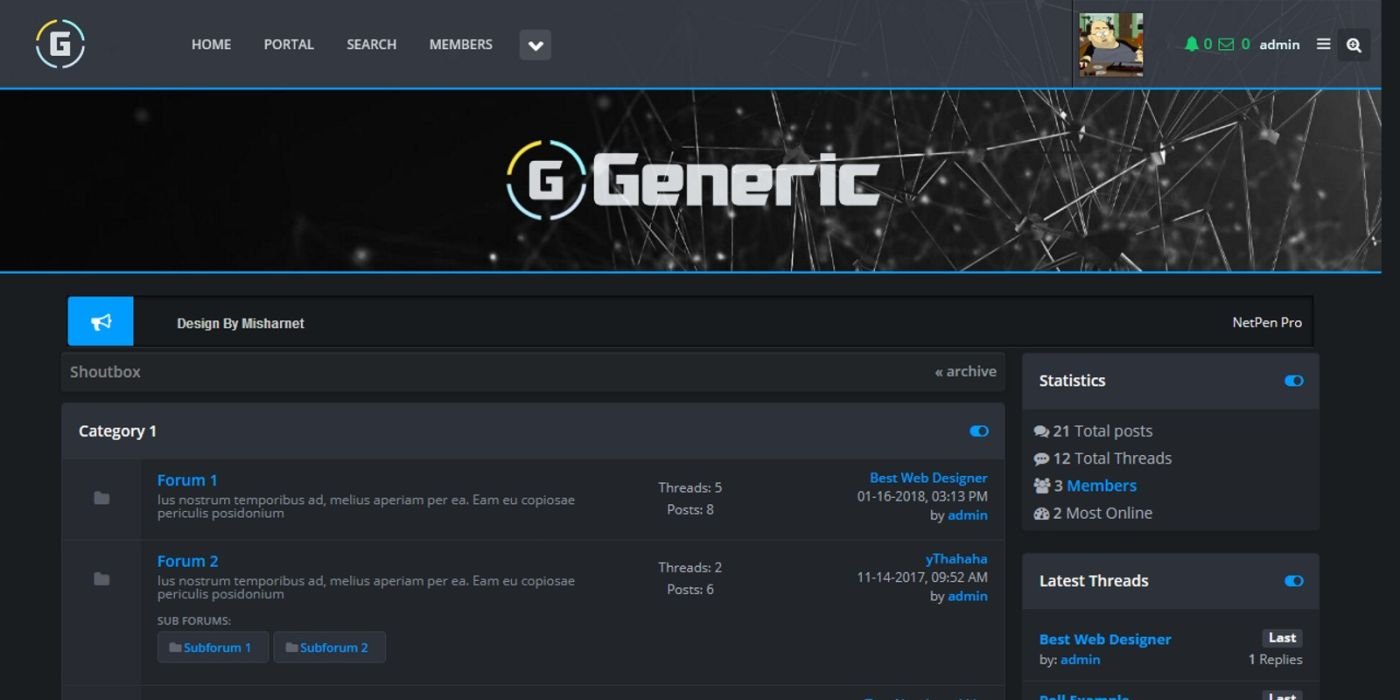
Generic is Premium, Dark, Responsive MyBB 1.8 Theme. 4 color combinations.
Overview
Description
Overview
It relies almost 100% on Bootstrap 3 with minimum overrides and it’s
99% tables. If you are familiar with Bootstrap 3 it’ll be like fun
dealing with this MyBB theme.
This is clean, basic version (default-blue), but it has four more color combinations:
Green
Orange
Purple
Generic uses different css files related to colors, depending on what color combination you wish to edit.
Features
Sidebar/Full width.
Font Awesome icons.
Supported MyBB Plugins.
Very original and unique Dark Flat Forum look.
Beautiful, professional Header and Footer.
Customized for both classic and Modern Postbit.
Social Share included.
Custom, beautiful Editor.
Extensive Documentation.
One of the best Responsive/Mobile look among MyBB Themes.
Great and dedicated Support
Requirements
MyBB 1.8 already installed.
Basic MyBB general usage.
Very Basic HTML/CSS knowledge (not mandatory).
Instructions
Once you import and install Generic Theme, VERY Important thing is to set CSS Files in correct order. Open:
Home » Themes » Generic » Stylesheets in Dark-Fire
and set the order like below, meaning these CSS Files should be at the last positions:
global.css
theme.css
blue.css
green.css
orange.css
purple.css
responsive.css
It relies almost 100% on Bootstrap 3 with minimum overrides and it’s
99% tables. If you are familiar with Bootstrap 3 it’ll be like fun
dealing with this MyBB theme.
This is clean, basic version (default-blue), but it has four more color combinations:
Green
Orange
Purple
Generic uses different css files related to colors, depending on what color combination you wish to edit.
Features
Sidebar/Full width.
Font Awesome icons.
Supported MyBB Plugins.
Very original and unique Dark Flat Forum look.
Beautiful, professional Header and Footer.
Customized for both classic and Modern Postbit.
Social Share included.
Custom, beautiful Editor.
Extensive Documentation.
One of the best Responsive/Mobile look among MyBB Themes.
Great and dedicated Support
Requirements
MyBB 1.8 already installed.
Basic MyBB general usage.
Very Basic HTML/CSS knowledge (not mandatory).
Instructions
Once you import and install Generic Theme, VERY Important thing is to set CSS Files in correct order. Open:
Home » Themes » Generic » Stylesheets in Dark-Fire
and set the order like below, meaning these CSS Files should be at the last positions:
global.css
theme.css
blue.css
green.css
orange.css
purple.css
responsive.css
Highlights
—
Quick requirements
—
Features
Feature list
No feature details provided.
Requirements
System / usage requirements
No requirements provided.
Installation
Installation & usage
No installation instructions provided.
Screenshots
Gallery