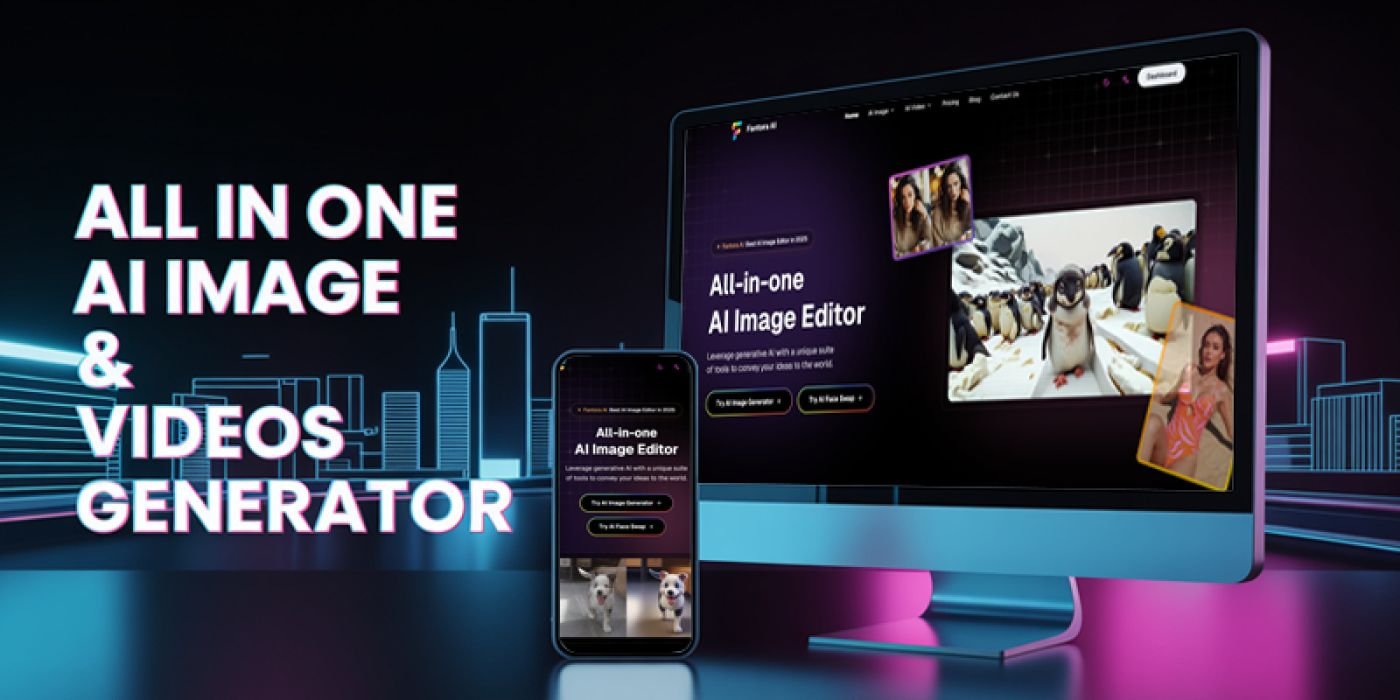
Fantora AI - All in one AI image Generator NodeJS
Complete source code of Fantora AI - AI image Generator , Video Generator, AI face swap, Try on, AI Poster Generator. Etc.
Overview
Description
Overview
Thank you for purchasing the complete source code for Fantora AI! This document will serve as your dedicated guide, walking you step-by-step through the process of deploying and launching your project with ease.
Project Overview
Fantora AI is a powerful, all-in-one AI toolkit website that integrates multiple cutting-edge AI features to provide users with a comprehensive creative experience. The project is built on Next.js 15, utilizing a modern tech stack and architectural design.
What You Will Get
1. Complete Project Source Code: Meticulously designed and optimized commercial-grade code.
2. Professional After-Sales Support: We are here to help you with any issues you may encounter.
3. Detailed Documentation: We will guide you on how to launch your website quickly and at the lowest possible cost.
4. Continuous Free Updates: We will release new features periodically and develop valuable user-requested functions. All updates are free for you.
Extremely Low Operating Costs
We have selected the most efficient and economical solutions for you. To go live, you only need to purchase a domain name:
Database (Supabase): The free tier is more than enough for initial project needs.
Hosting (Vercel): The free tier is sufficient for initial usage, and you can easily deploy to your own server as well.
Email System (Plunk): The free tier perfectly covers initial requirements.
Storage (Cloudflare R2): The free tier is ample for getting started.
AI Services (Optional): Pay-as-you-go, with an extremely low cost (approx. $0.004/image).
Payment System (Creem/Stripe): Completely free to set up.
Technical Highlights
Modern Architecture: Built with Next.js 15 + TypeScript.
Microservice-inspired Design: Modular package management for easy maintenance and scalability.
Multi-language Support: Built-in internationalization (i18n) system supporting 10 languages.
Responsive Design: Flawlessly adapts to desktops, tablets, and mobile phones.
Features
AI Image Generation: Generate high-quality images from text prompts.
AI Poster Generation: A professional-grade tool for designing posters.
AI Logo Generation: Intelligent logo design for businesses.
AI Image Editing: Powerful and smart image processing and editing.
AI Face Swap: Fun and engaging face replacement functionality.
AI Virtual Try-On: An advanced virtual clothing try-on experience.
AI Video Generation: Easily create video content from images.
Blog System: A built-in blog for content marketing and SEO.
Complete SaaS User System: Includes user registration, login, purchases, credit management (add/deduct), subscription renewals, and more.
Fingerprint Login-less System: Allows users to try all features without an account. They are prompted to log in or purchase only after their credits run out, significantly improving user experience and SEO session duration.
Requirements
A domain
Instructions
Step 1: Set Up Your Local Environment
First, you need to install three essential pieces of software. If you already have them installed, you can skip this step.
Install Node.js: Go to the official website at <a href="https://nodejs.org/en">https://nodejs.org/en</a>, download, and install it.
Install Git: Go to the official website at <a href="https://git-scm.com/">https://git-scm.com/</a>, download, and install it.
Install pnpm:
Press Win + R, type cmd, and press Enter to open the command line tool.
Enter and run the command: npm install -g pnpm@latest-10
You will see the full version after purchasing
Thank you for purchasing the complete source code for Fantora AI! This document will serve as your dedicated guide, walking you step-by-step through the process of deploying and launching your project with ease.
Project Overview
Fantora AI is a powerful, all-in-one AI toolkit website that integrates multiple cutting-edge AI features to provide users with a comprehensive creative experience. The project is built on Next.js 15, utilizing a modern tech stack and architectural design.
What You Will Get
1. Complete Project Source Code: Meticulously designed and optimized commercial-grade code.
2. Professional After-Sales Support: We are here to help you with any issues you may encounter.
3. Detailed Documentation: We will guide you on how to launch your website quickly and at the lowest possible cost.
4. Continuous Free Updates: We will release new features periodically and develop valuable user-requested functions. All updates are free for you.
Extremely Low Operating Costs
We have selected the most efficient and economical solutions for you. To go live, you only need to purchase a domain name:
Database (Supabase): The free tier is more than enough for initial project needs.
Hosting (Vercel): The free tier is sufficient for initial usage, and you can easily deploy to your own server as well.
Email System (Plunk): The free tier perfectly covers initial requirements.
Storage (Cloudflare R2): The free tier is ample for getting started.
AI Services (Optional): Pay-as-you-go, with an extremely low cost (approx. $0.004/image).
Payment System (Creem/Stripe): Completely free to set up.
Technical Highlights
Modern Architecture: Built with Next.js 15 + TypeScript.
Microservice-inspired Design: Modular package management for easy maintenance and scalability.
Multi-language Support: Built-in internationalization (i18n) system supporting 10 languages.
Responsive Design: Flawlessly adapts to desktops, tablets, and mobile phones.
Features
AI Image Generation: Generate high-quality images from text prompts.
AI Poster Generation: A professional-grade tool for designing posters.
AI Logo Generation: Intelligent logo design for businesses.
AI Image Editing: Powerful and smart image processing and editing.
AI Face Swap: Fun and engaging face replacement functionality.
AI Virtual Try-On: An advanced virtual clothing try-on experience.
AI Video Generation: Easily create video content from images.
Blog System: A built-in blog for content marketing and SEO.
Complete SaaS User System: Includes user registration, login, purchases, credit management (add/deduct), subscription renewals, and more.
Fingerprint Login-less System: Allows users to try all features without an account. They are prompted to log in or purchase only after their credits run out, significantly improving user experience and SEO session duration.
Requirements
A domain
Instructions
Step 1: Set Up Your Local Environment
First, you need to install three essential pieces of software. If you already have them installed, you can skip this step.
Install Node.js: Go to the official website at <a href="https://nodejs.org/en">https://nodejs.org/en</a>, download, and install it.
Install Git: Go to the official website at <a href="https://git-scm.com/">https://git-scm.com/</a>, download, and install it.
Install pnpm:
Press Win + R, type cmd, and press Enter to open the command line tool.
Enter and run the command: npm install -g pnpm@latest-10
You will see the full version after purchasing
Highlights
—
Quick requirements
—
Features
Feature list
No feature details provided.
Requirements
System / usage requirements
No requirements provided.
Installation
Installation & usage
No installation instructions provided.
Screenshots
Gallery