💬

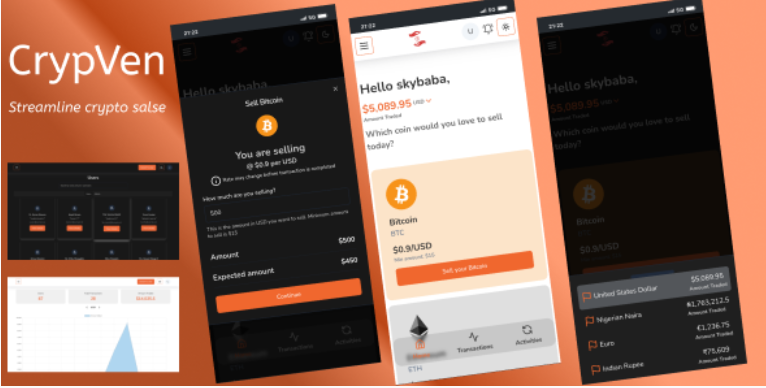
CrypVen - Crypto vendor platform

Exchange Scripts

Description

Demo Access
Email: crypvendemo@gmail.com

Password: 00000000

Note: This is the admin login, as an admin you can switch between a normal user and an admin

https://crypven-laravel-demo.netlify.app/auth/login

Features

Getting Started
Create an Account:
Navigate to the website and sign up for a new account.
Complete the registration process by providing the necessary information.
Explore User Interface:
After logging in, explore the user-friendly interface designed to provide an intuitive experience.
Switch to Admin Mode:
As an admin, you have the ability to switch between normal user mode and admin mode.
Locate the switch button at the profile page to toggle between user and admin modes.
System Requirements
You can run this script on any server like Linux, Windows or Uinix Server. But you need to meet some server requirements for installing and running this script.

This System built with Laravel, that’s why you must meet the following server requirements:
This script is built with Laravel and (Inertia.js + React), the server should meet the following requirements: PHP 8.2 or higher, with either Apache or Nginx as the web server. MySQL as the database. Additionally, Node.js 18.2 or higher is required for building the React frontend, and Composer 2.0 or higher must be installed to manage PHP dependencies. The server should ideally be running on a Linux-based OS like Ubuntu or CentOS for optimal compatibility.

Core Features
Streamlined Crypto Sales
Referral system
Multiple currency
Full admin Dashboard
Fast Payments(Send payment directly to user bank)
Secure Transaction Handling
Real-time Updates
User-friendly Interface
Privacy Protection
Dark Mode
and more…

Screenshots