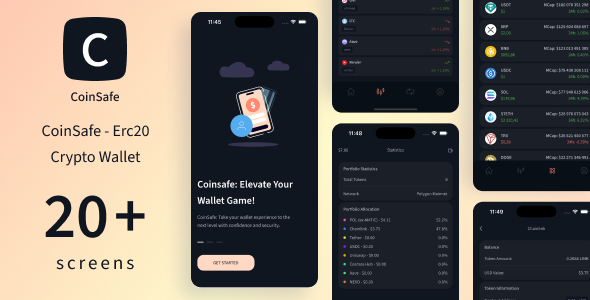
CoinSafe - Multi-Chain Crypto Wallet
CoinSafe is a multi-chain crypto wallet for storing and managing digital assets across multiple blockchain networks with unified balances, transaction history, and scalable wallet functionality.
Overview
Description
Description:
CoinSafe was created with one purpose — to deliver a clean, fast, and reliable way to manage digital assets across multiple blockchain networks. Built with a focus on usability and stability, it makes working with crypto simple and efficient — from generating and restoring wallets to sending and receiving tokens in just a few steps.
Whether you’re exploring crypto for the first time or already managing multiple assets, CoinSafe removes unnecessary complexity and gives you a smooth, intuitive experience. Easily manage your Ethereum, BNB Chain, and Polygon portfolios, view transaction history, and keep your wallet accessible at any moment with secure backup and recovery features.
CoinSafe isn’t just another wallet — it’s a powerful multi-chain solution created for everyday crypto operations, combining convenience, speed, and strong security within a polished, modern interface.
The backend runs on NestJS, a robust and scalable Node.js framework. Thanks to its modular system and full TypeScript support, NestJS ensures high performance, clean architecture, and easy maintenance — making CoinSafe dependable and secure across all supported chains.
CoinSafe - Multi-Chain Crypto Wallet - 1
Features:
– Built with React Native CLI 0.81.4, ensuring high performance and native-like experience.
– Developed using only Functional Components and React Hooks for clean, modern, and efficient code architecture.
– All icons are provided in scalable and lightweight SVG format for maximum clarity and performance.
– Fully compatible with both Android and iOS devices.
– Organized with clean, modular, and well-structured components to simplify navigation and future development.
– All source code written in .tsx format following TypeScript best practices.
– Integrated Image Preloader for smooth data loading and enhanced user experience.
– State management powered by Redux with Redux Persist for secure and seamless data persistence.
– Includes multi-chain support for Ethereum, BNB Chain, and Polygon networks.
– Built-in support for adding custom tokens and managing multiple assets across networks.
– Fast data refresh and real-time wallet balance updates for all supported tokens.
– One-Tap Address Copy and QR code generation for easy sharing of wallet addresses.
– Features clean, minimal UI optimized for real-world crypto usage.
– Easy token management: add, remove, or track tokens quickly.
– Quick token information access via CoinGecko.
– Backend powered by NestJS — scalable, modular Node.js framework providing secure and high-performance APIs.
– Built with attention to scalability, making it easy to extend with new networks or features.
– Comes with preloaded token data including logos, contract addresses, names, and symbols for faster performance.
– Supports instant transactions and displays available balance directly in the transfer input field.
– Allows setting a custom price and balance refresh interval for more flexible data updates.
CoinSafe - Multi-Chain Crypto Wallet - 2
Testing & Demo Videos:
Polygon: Tested with Rabby Wallet — Watch Demo
BSC: Tested with Rabby Wallet — Watch Demo
Ethereum Sepolia: Tested with MetaMask — Watch Demo
Wallet Creation: Wallet setup and recovery — Watch Demo
Core Features: Main feature overview — Watch Demo
Technologies Used:
React Native
TypeScript
Redux
Redux Toolkit
Ethers.js
NestJS
Coingecko API
Ankr
Etherscan API
@tanstack/react-query
Axios HTTP
CoinSafe - Multi-Chain Crypto Wallet - 3
Key Features:
- Multi-Chain & Multi-Token Support: CoinSafe supports a wide range of tokens across Ethereum, BNB Chain, and Polygon networks. Users can store, send, and receive multiple assets within a single wallet. From mainstream tokens like USDT, USDC, and BNB to emerging ones, CoinSafe handles them all seamlessly.
- Real-Time Portfolio Overview: View your total wallet balance and individual token holdings in real time. CoinSafe provides an instant snapshot of your overall portfolio value at a glance.
- Add Custom Tokens:
Need to manage a new token? Simply enter the token contract address and details to add it to your wallet in seconds — no technical knowledge required.
- Network Switch (Ethereum / BNB / Polygon): Seamlessly switch between supported networks with a single tap. Perfect for managing assets across different blockchains without losing control over your funds.
- Smart Data Validation: CoinSafe verifies wallet addresses, token amounts, and other inputs to prevent errors and failed transactions, enhancing security and accuracy.
- Clean & Intuitive Interface: Designed for both crypto beginners and experienced users, CoinSafe provides a simple and user-friendly interface without sacrificing control or advanced features.
- Detailed Transaction History: Track all wallet activity with a comprehensive transaction log. Each entry shows date, amount, type, and status, giving users full visibility of their operations.
- Secure Backup & Recovery: Restore your wallet easily with a 12-word mnemonic phrase. Ensure access even if your device is lost or damaged.
- Token Information via CoinGecko: Get token details such as price, contract address, symbol, and name using real-time data from CoinGecko.
- Preloaded Token Data for Speed: CoinSafe comes preloaded with essential token information, including logos, contract addresses, names, and symbols. Only real-time prices and balances are fetched from external APIs to ensure up-to-date information without slowing performance.
What You’ll Get After Purchase:
Complete React Native CLI Source Code – Clean, well-structured, and ready for customization.
Step-by-step Documentation – Easy to follow instructions for setup, configuration, and app deployment.
Pre-configured NestJS Server – Ready-to-use backend server for managing your app’s data and API.
FAQ:
Q: Which networks does CoinSafe support?
A: Ethereum, BNB Chain, and Polygon, with full multi-chain functionality.
Q: Can I create and recover wallets easily?
A: Yes, CoinSafe allows fast wallet creation and secure recovery with a 12-word mnemonic phrase. You can restore your wallet anytime on any device without losing access to your funds.
Q: Can I add custom tokens?
A: Absolutely, you can add any ERC-20/BEP-20 token by entering the token contract address. CoinSafe makes token management simple and fast.
Q: How do I switch between networks?
A: You can switch networks with a single tap within the wallet interface, allowing you to manage assets across Ethereum, BNB Chain, and Polygon seamlessly.
Q: Is my data secure?
A: CoinSafe is designed according to strict security standards. Private keys never leave the app and are never stored in the state manager. All sensitive data is securely handled, ensuring full protection of your assets. Redux Persist and encrypted local storage are used only for safe, non-sensitive state data.
Q: Is CoinSafe a real, reliable wallet like Trust Wallet or Rabby Wallet?
A: Yes, CoinSafe is a fully functional, real multi-chain wallet built for everyday crypto usage. It follows modern security practices, supports multiple networks and tokens, and is designed for both beginners and experienced users. You can confidently store, send, and receive crypto assets just like you would with Trust Wallet, Rabby Wallet, or other popular wallets.
Q: Was CoinSafe built with scalability in mind?
A: Yes, CoinSafe was developed with a modular and scalable architecture using NestJS for the backend and clean, well-structured React Native components for the frontend. This design allows easy expansion with new networks, tokens, or features in the future without compromising performance or security.
Q: Does CoinSafe include an admin panel?
A: No, CoinSafe is a decentralized application (dApp). It does not have an admin panel and does not allow anyone to view or access users’ private keys. All wallet operations and sensitive data remain fully under the user’s control, ensuring maximum security and decentralization.
Q: How can CoinSafe be monetized?
A: By default, CoinSafe does not include any built-in monetization. However, developers can optionally integrate monetization features such as premium services, in-app subscriptions, affiliate links with exchanges or DeFi platforms, or token-based incentives. These options are fully optional and do not compromise user security or control over private keys.
Q: How many tokens does CoinSafe support by default?
A: CoinSafe supports over 30 popular tokens across multiple networks out of the box. This list can be easily expanded, allowing you to add more tokens at any time.
Q: What happens if the app supports over 2000 tokens? Will it cause any problems or slow down the app?
A: No, the number of tokens does not affect usability or performance. CoinSafe is designed to manage only the tokens that the user actually interacts with. Tokens that the user does not use are not loaded or processed, ensuring the app remains fast and responsive even with thousands of tokens available.
Default Supported Tokens (can be expanded with more)
Tether (USDT) – Ethereum, BNB Chain, Polygon
USDC – Ethereum, BNB Chain, Polygon
EURC – Ethereum
Chainlink (LINK) – Ethereum, BNB Chain, Polygon
LEO Token – Ethereum
Shiba Inu (SHIB) – Ethereum, BNB Chain
Polkadot (DOT) – Ethereum, BNB Chain
Mantle (MNT) – Ethereum
Uniswap (UNI) – Ethereum, BNB Chain, Polygon
Aave (AAVE) – Ethereum, BNB Chain, Polygon
Ethena (ENA) – Ethereum
OKB – Ethereum
Bitget Token (BGB) – Ethereum
Arbitrum (ARB) – Ethereum
Cosmos Hub (ATOM) – Ethereum, BNB Chain, Polygon
Render (RNDR) – Ethereum
Gate (GT) – Ethereum
QUANT – Ethereum
Lido DAO (LDO) – Ethereum, BNB Chain
NEXO – Ethereum, Polygon
Morpho – Ethereum
The Graph (GRT) – Ethereum
Decentraland (MANA) – Ethereum
Aethir (ATH) – Ethereum
BitTorrent (BTT) – Ethereum, BNB Chain
AINFT (NFT) – Ethereum, BNB Chain
Dai (DAI) – Ethereum, BNB Chain, Polygon
Cardano (ADA) – BNB Chain
XRP (XRP) – BNB Chain
TRON (TRX) – Ethereum, BNB
Avalanche (AVAX) – BNB Chain
Contact Support
https://hyipscript.io/support.php
CoinSafe was created with one purpose — to deliver a clean, fast, and reliable way to manage digital assets across multiple blockchain networks. Built with a focus on usability and stability, it makes working with crypto simple and efficient — from generating and restoring wallets to sending and receiving tokens in just a few steps.
Whether you’re exploring crypto for the first time or already managing multiple assets, CoinSafe removes unnecessary complexity and gives you a smooth, intuitive experience. Easily manage your Ethereum, BNB Chain, and Polygon portfolios, view transaction history, and keep your wallet accessible at any moment with secure backup and recovery features.
CoinSafe isn’t just another wallet — it’s a powerful multi-chain solution created for everyday crypto operations, combining convenience, speed, and strong security within a polished, modern interface.
The backend runs on NestJS, a robust and scalable Node.js framework. Thanks to its modular system and full TypeScript support, NestJS ensures high performance, clean architecture, and easy maintenance — making CoinSafe dependable and secure across all supported chains.
CoinSafe - Multi-Chain Crypto Wallet - 1
Features:
– Built with React Native CLI 0.81.4, ensuring high performance and native-like experience.
– Developed using only Functional Components and React Hooks for clean, modern, and efficient code architecture.
– All icons are provided in scalable and lightweight SVG format for maximum clarity and performance.
– Fully compatible with both Android and iOS devices.
– Organized with clean, modular, and well-structured components to simplify navigation and future development.
– All source code written in .tsx format following TypeScript best practices.
– Integrated Image Preloader for smooth data loading and enhanced user experience.
– State management powered by Redux with Redux Persist for secure and seamless data persistence.
– Includes multi-chain support for Ethereum, BNB Chain, and Polygon networks.
– Built-in support for adding custom tokens and managing multiple assets across networks.
– Fast data refresh and real-time wallet balance updates for all supported tokens.
– One-Tap Address Copy and QR code generation for easy sharing of wallet addresses.
– Features clean, minimal UI optimized for real-world crypto usage.
– Easy token management: add, remove, or track tokens quickly.
– Quick token information access via CoinGecko.
– Backend powered by NestJS — scalable, modular Node.js framework providing secure and high-performance APIs.
– Built with attention to scalability, making it easy to extend with new networks or features.
– Comes with preloaded token data including logos, contract addresses, names, and symbols for faster performance.
– Supports instant transactions and displays available balance directly in the transfer input field.
– Allows setting a custom price and balance refresh interval for more flexible data updates.
CoinSafe - Multi-Chain Crypto Wallet - 2
Testing & Demo Videos:
Polygon: Tested with Rabby Wallet — Watch Demo
BSC: Tested with Rabby Wallet — Watch Demo
Ethereum Sepolia: Tested with MetaMask — Watch Demo
Wallet Creation: Wallet setup and recovery — Watch Demo
Core Features: Main feature overview — Watch Demo
Technologies Used:
React Native
TypeScript
Redux
Redux Toolkit
Ethers.js
NestJS
Coingecko API
Ankr
Etherscan API
@tanstack/react-query
Axios HTTP
CoinSafe - Multi-Chain Crypto Wallet - 3
Key Features:
- Multi-Chain & Multi-Token Support: CoinSafe supports a wide range of tokens across Ethereum, BNB Chain, and Polygon networks. Users can store, send, and receive multiple assets within a single wallet. From mainstream tokens like USDT, USDC, and BNB to emerging ones, CoinSafe handles them all seamlessly.
- Real-Time Portfolio Overview: View your total wallet balance and individual token holdings in real time. CoinSafe provides an instant snapshot of your overall portfolio value at a glance.
- Add Custom Tokens:
Need to manage a new token? Simply enter the token contract address and details to add it to your wallet in seconds — no technical knowledge required.
- Network Switch (Ethereum / BNB / Polygon): Seamlessly switch between supported networks with a single tap. Perfect for managing assets across different blockchains without losing control over your funds.
- Smart Data Validation: CoinSafe verifies wallet addresses, token amounts, and other inputs to prevent errors and failed transactions, enhancing security and accuracy.
- Clean & Intuitive Interface: Designed for both crypto beginners and experienced users, CoinSafe provides a simple and user-friendly interface without sacrificing control or advanced features.
- Detailed Transaction History: Track all wallet activity with a comprehensive transaction log. Each entry shows date, amount, type, and status, giving users full visibility of their operations.
- Secure Backup & Recovery: Restore your wallet easily with a 12-word mnemonic phrase. Ensure access even if your device is lost or damaged.
- Token Information via CoinGecko: Get token details such as price, contract address, symbol, and name using real-time data from CoinGecko.
- Preloaded Token Data for Speed: CoinSafe comes preloaded with essential token information, including logos, contract addresses, names, and symbols. Only real-time prices and balances are fetched from external APIs to ensure up-to-date information without slowing performance.
What You’ll Get After Purchase:
Complete React Native CLI Source Code – Clean, well-structured, and ready for customization.
Step-by-step Documentation – Easy to follow instructions for setup, configuration, and app deployment.
Pre-configured NestJS Server – Ready-to-use backend server for managing your app’s data and API.
FAQ:
Q: Which networks does CoinSafe support?
A: Ethereum, BNB Chain, and Polygon, with full multi-chain functionality.
Q: Can I create and recover wallets easily?
A: Yes, CoinSafe allows fast wallet creation and secure recovery with a 12-word mnemonic phrase. You can restore your wallet anytime on any device without losing access to your funds.
Q: Can I add custom tokens?
A: Absolutely, you can add any ERC-20/BEP-20 token by entering the token contract address. CoinSafe makes token management simple and fast.
Q: How do I switch between networks?
A: You can switch networks with a single tap within the wallet interface, allowing you to manage assets across Ethereum, BNB Chain, and Polygon seamlessly.
Q: Is my data secure?
A: CoinSafe is designed according to strict security standards. Private keys never leave the app and are never stored in the state manager. All sensitive data is securely handled, ensuring full protection of your assets. Redux Persist and encrypted local storage are used only for safe, non-sensitive state data.
Q: Is CoinSafe a real, reliable wallet like Trust Wallet or Rabby Wallet?
A: Yes, CoinSafe is a fully functional, real multi-chain wallet built for everyday crypto usage. It follows modern security practices, supports multiple networks and tokens, and is designed for both beginners and experienced users. You can confidently store, send, and receive crypto assets just like you would with Trust Wallet, Rabby Wallet, or other popular wallets.
Q: Was CoinSafe built with scalability in mind?
A: Yes, CoinSafe was developed with a modular and scalable architecture using NestJS for the backend and clean, well-structured React Native components for the frontend. This design allows easy expansion with new networks, tokens, or features in the future without compromising performance or security.
Q: Does CoinSafe include an admin panel?
A: No, CoinSafe is a decentralized application (dApp). It does not have an admin panel and does not allow anyone to view or access users’ private keys. All wallet operations and sensitive data remain fully under the user’s control, ensuring maximum security and decentralization.
Q: How can CoinSafe be monetized?
A: By default, CoinSafe does not include any built-in monetization. However, developers can optionally integrate monetization features such as premium services, in-app subscriptions, affiliate links with exchanges or DeFi platforms, or token-based incentives. These options are fully optional and do not compromise user security or control over private keys.
Q: How many tokens does CoinSafe support by default?
A: CoinSafe supports over 30 popular tokens across multiple networks out of the box. This list can be easily expanded, allowing you to add more tokens at any time.
Q: What happens if the app supports over 2000 tokens? Will it cause any problems or slow down the app?
A: No, the number of tokens does not affect usability or performance. CoinSafe is designed to manage only the tokens that the user actually interacts with. Tokens that the user does not use are not loaded or processed, ensuring the app remains fast and responsive even with thousands of tokens available.
Default Supported Tokens (can be expanded with more)
Tether (USDT) – Ethereum, BNB Chain, Polygon
USDC – Ethereum, BNB Chain, Polygon
EURC – Ethereum
Chainlink (LINK) – Ethereum, BNB Chain, Polygon
LEO Token – Ethereum
Shiba Inu (SHIB) – Ethereum, BNB Chain
Polkadot (DOT) – Ethereum, BNB Chain
Mantle (MNT) – Ethereum
Uniswap (UNI) – Ethereum, BNB Chain, Polygon
Aave (AAVE) – Ethereum, BNB Chain, Polygon
Ethena (ENA) – Ethereum
OKB – Ethereum
Bitget Token (BGB) – Ethereum
Arbitrum (ARB) – Ethereum
Cosmos Hub (ATOM) – Ethereum, BNB Chain, Polygon
Render (RNDR) – Ethereum
Gate (GT) – Ethereum
QUANT – Ethereum
Lido DAO (LDO) – Ethereum, BNB Chain
NEXO – Ethereum, Polygon
Morpho – Ethereum
The Graph (GRT) – Ethereum
Decentraland (MANA) – Ethereum
Aethir (ATH) – Ethereum
BitTorrent (BTT) – Ethereum, BNB Chain
AINFT (NFT) – Ethereum, BNB Chain
Dai (DAI) – Ethereum, BNB Chain, Polygon
Cardano (ADA) – BNB Chain
XRP (XRP) – BNB Chain
TRON (TRX) – Ethereum, BNB
Avalanche (AVAX) – BNB Chain
Contact Support
https://hyipscript.io/support.php
Highlights
—
Quick requirements
—
Features
Feature list
No feature details provided.
Requirements
System / usage requirements
No requirements provided.
Installation
Installation & usage
No installation instructions provided.
Screenshots
Gallery